
Starter
Get your shop organised.
45,000TZS / month
or 450,000 TZS a year
1 shop · up to 5 people
- Full till, stock and reports
- Up to 10,000 products
- Email receipts to customers
- Audit log of every change
A day at the duka · Dar es Salaam
Till, stock and books for shops across Tanzania, on the phone, tablet or computer you already have. Scroll through one day at a duka to watch it work.
14 days free (7 on Enterprise) · no card needed
Scroll through the day
08:30 Stock arrives
When a delivery comes, record it from the supplier's note: quantity, cost price, batch and expiry. Every shelf, every branch and every report knows straight away.
Point at any product on the shelves to see how many are left and when they expire.
In the app
This is the receiving screen as it is today: a real picture from the app, not a drawing.
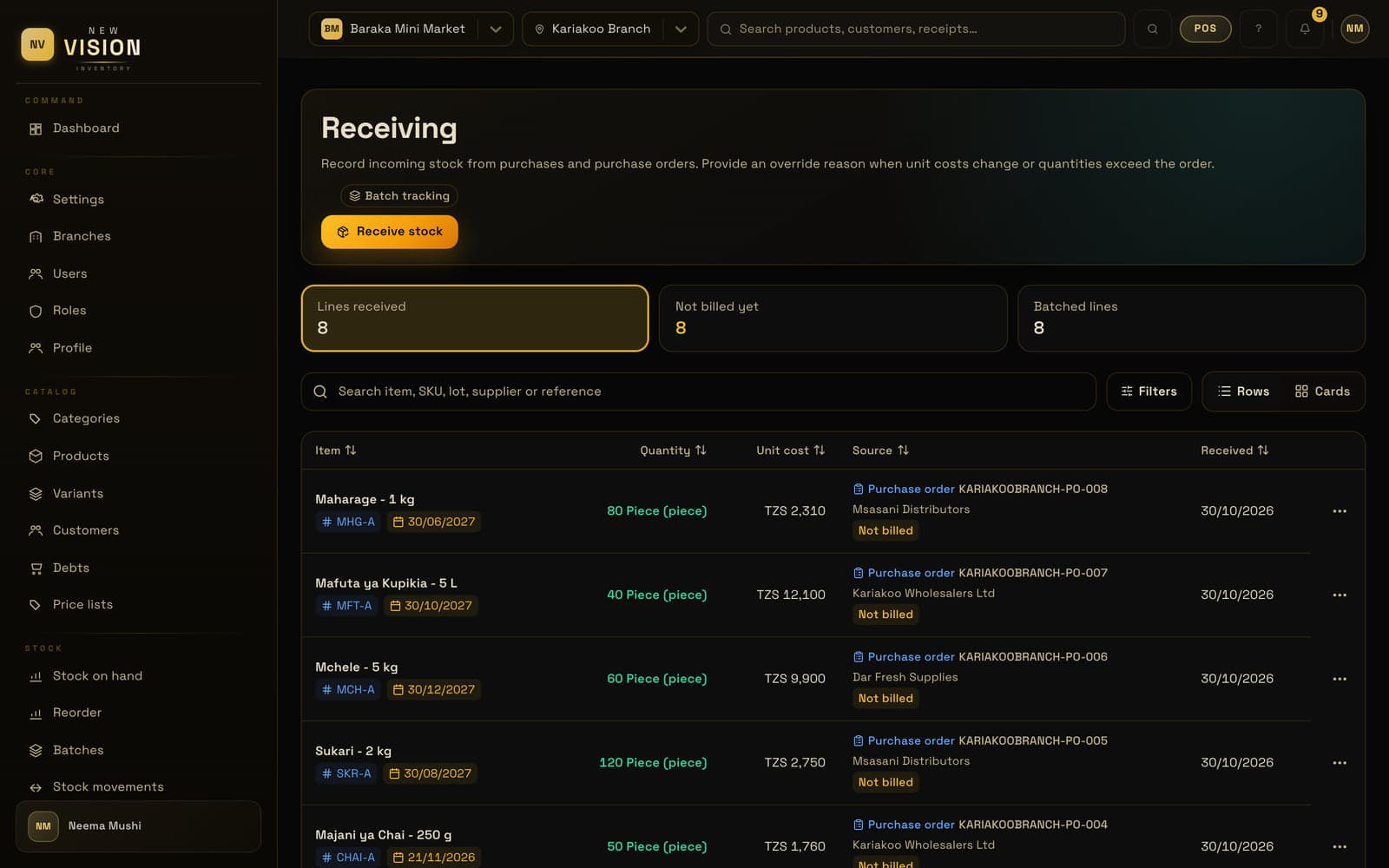
Medicine and food carry their batch and date; with batches on, whatever expires first sells first.
Set a reorder point per branch and hear about it before the shelf is empty.
Your profit uses what you really paid, delivery by delivery.
11:00 The midday rush
Scan the barcode, point the phone's camera or tap the picture. Take cash, mobile money, card or bank transfer, or split one sale between them.
In the app
The cashier's phone, the tablet at the counter, the computer in the office: the same till, laid out for each size.
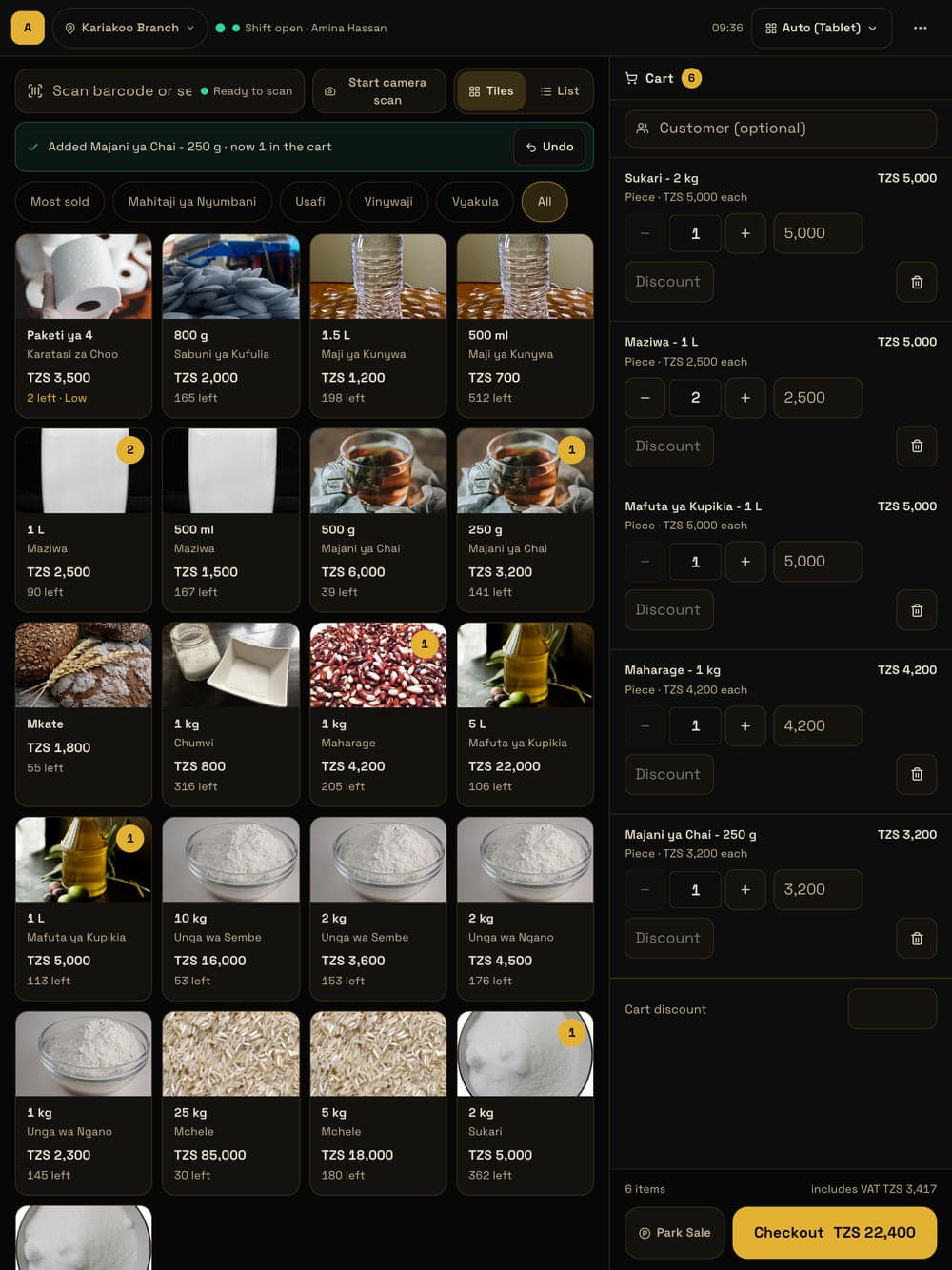
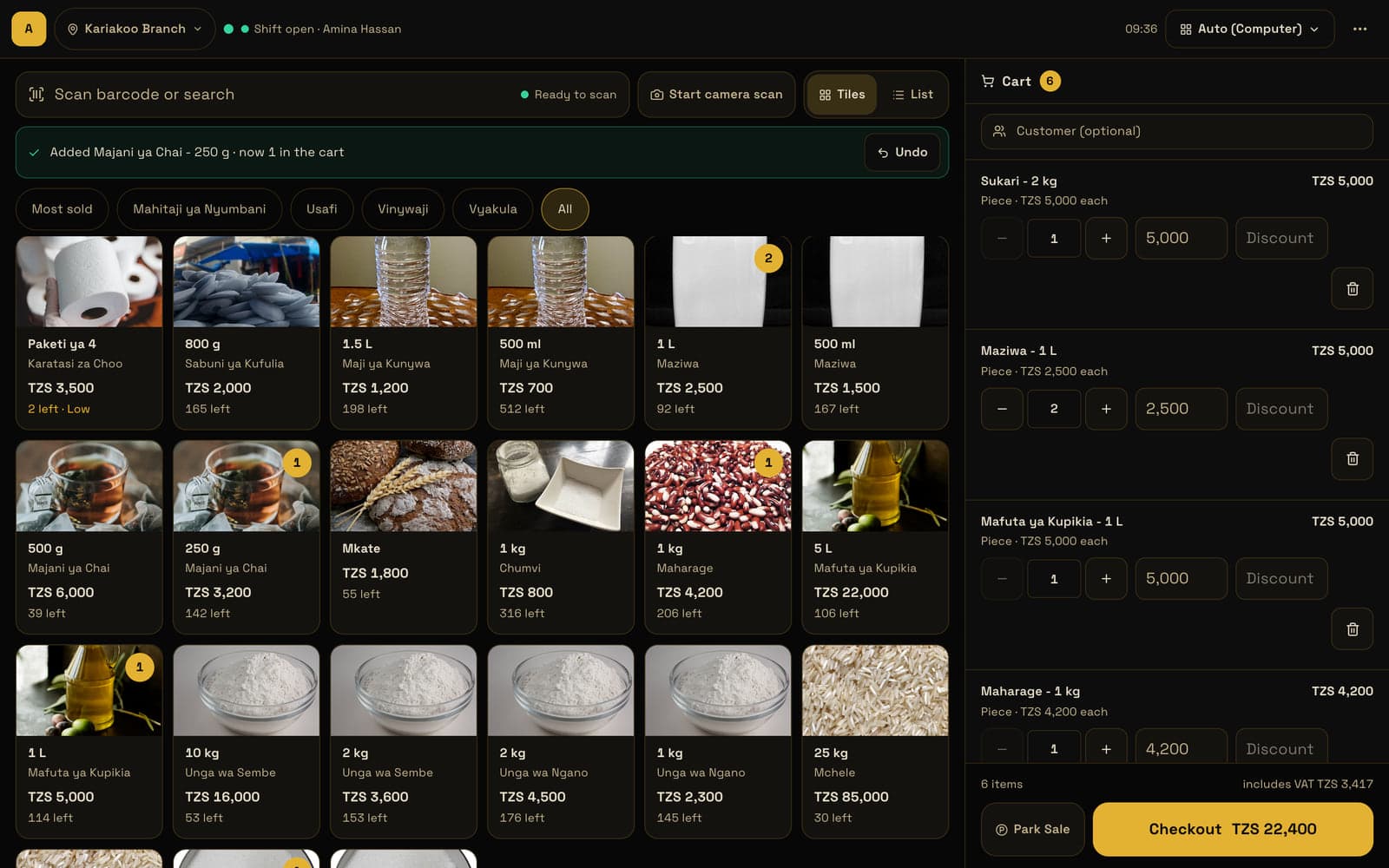
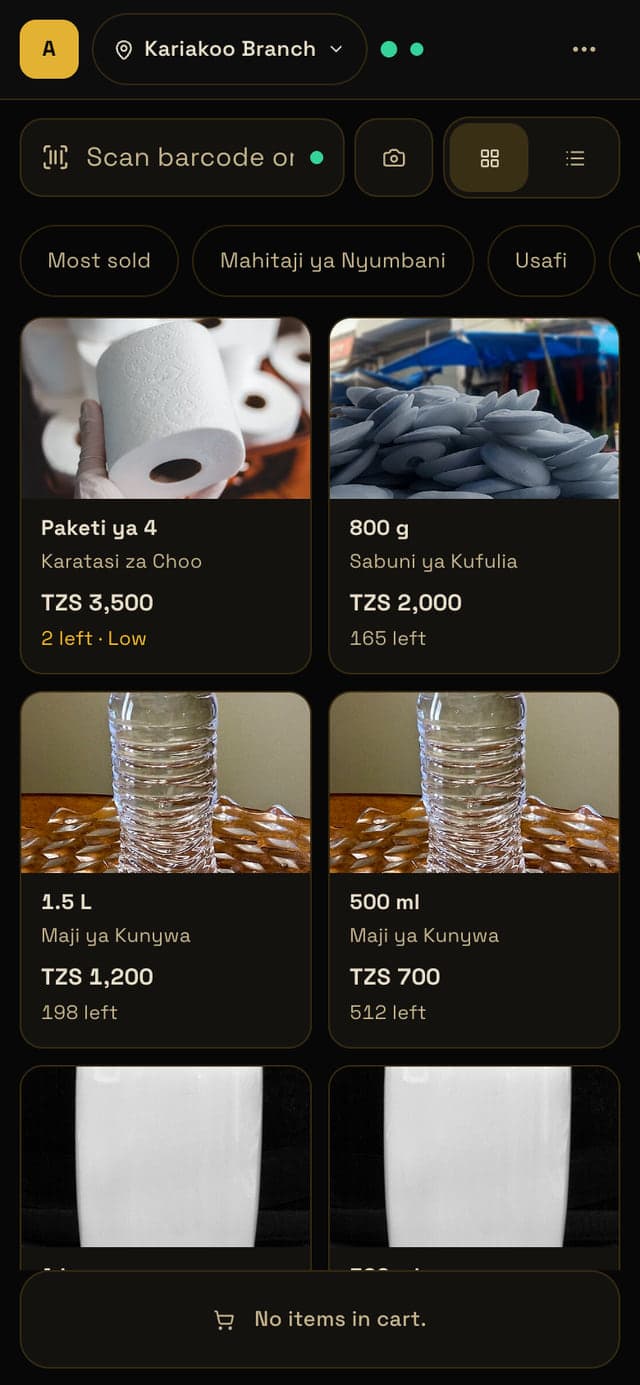
It runs in the browser. There is no special machine to buy.
Customer forgot their money? Park the sale, serve the next one, pick it up again.
Every refund is written down with its reason and who approved it.
13:30 Three shops
Each shop keeps its own stock and its own takings. You see them all together, and when one runs low you move stock from another, with a record of who sent what.
Up to 3 branches on Business, as many as you like on Enterprise.
In the app
Today's takings, what's running low and what's selling, for one shop or all of them together.
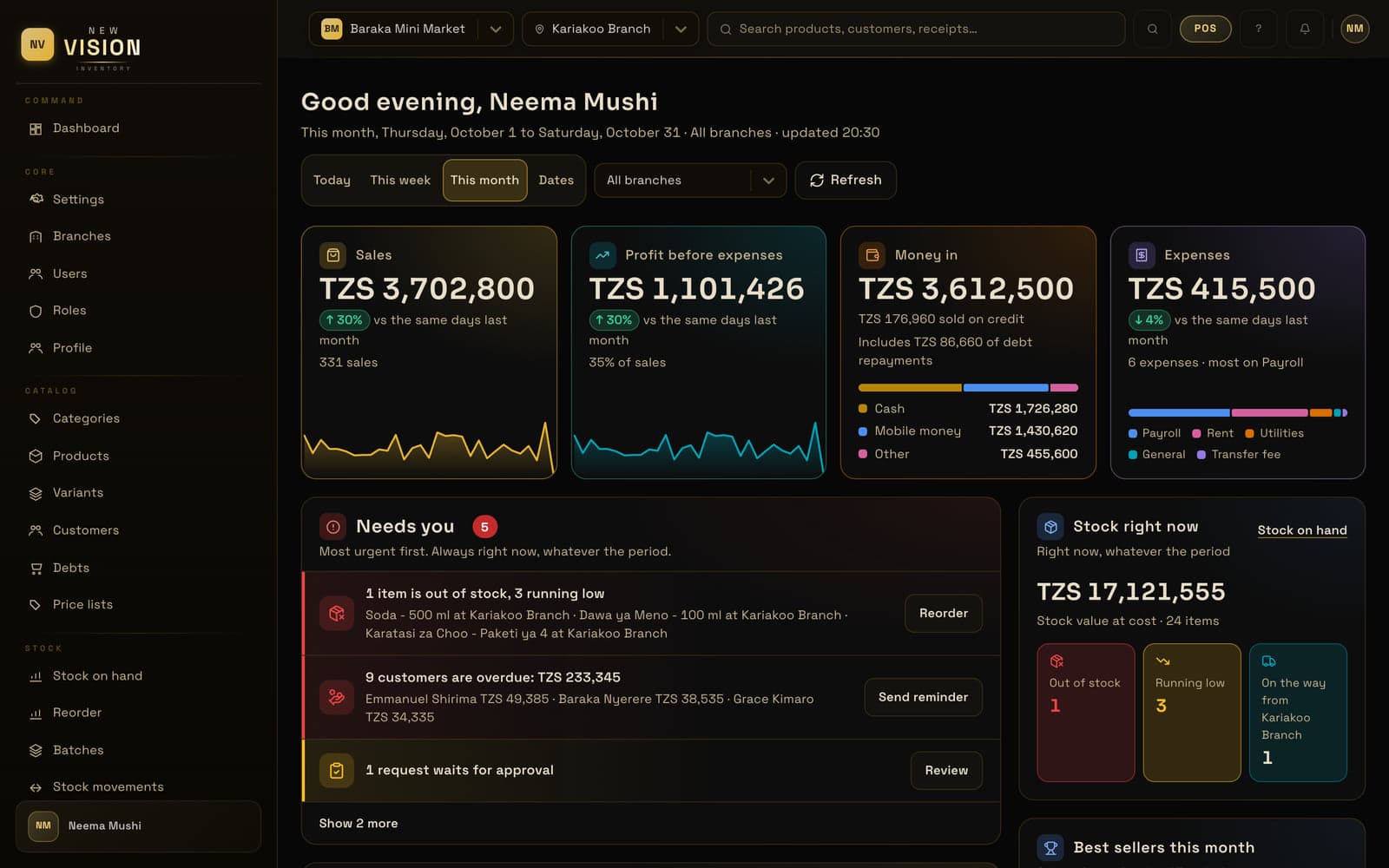
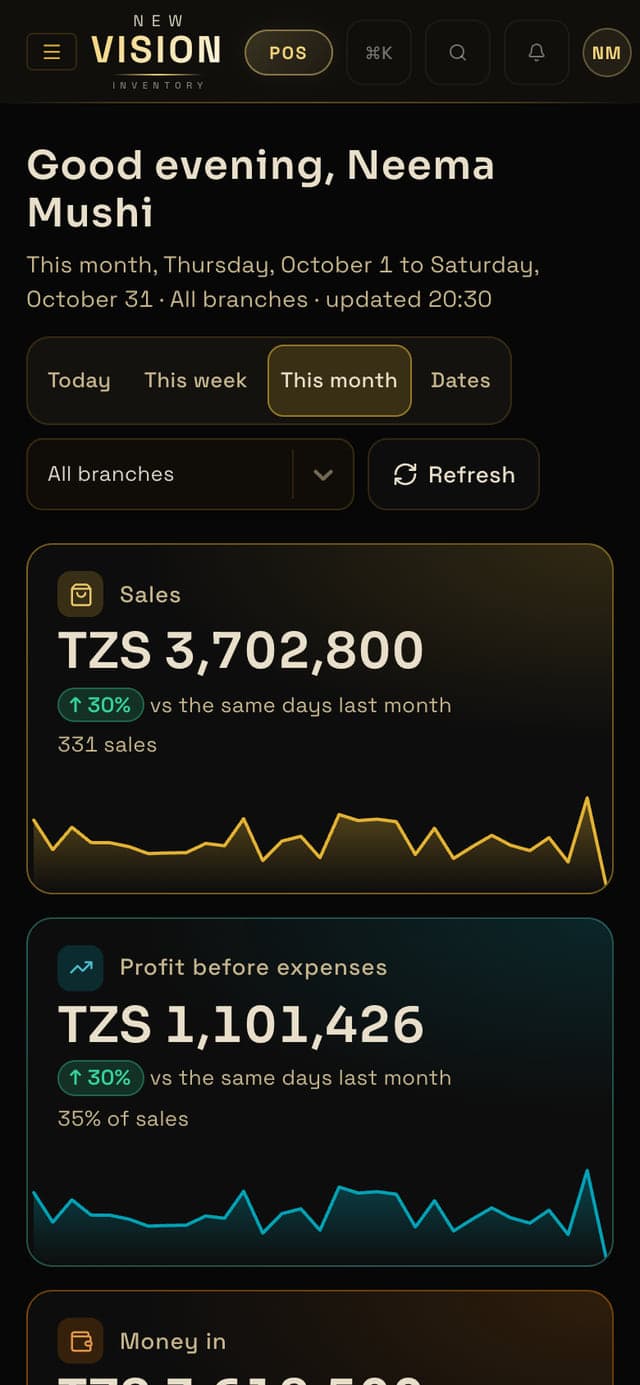
Each shop is counted on its own, and together for the owner.
Who sent it, who received it, when: every transfer shows on both sides.
The cashier at Kimara sees Kimara, and can do only what you allow.
16:30 On credit
Credit sales go on the customer's tab with the date and the amount. Payments come in bit by bit and the balance is always right: you see who owes what, and since when.
In the app
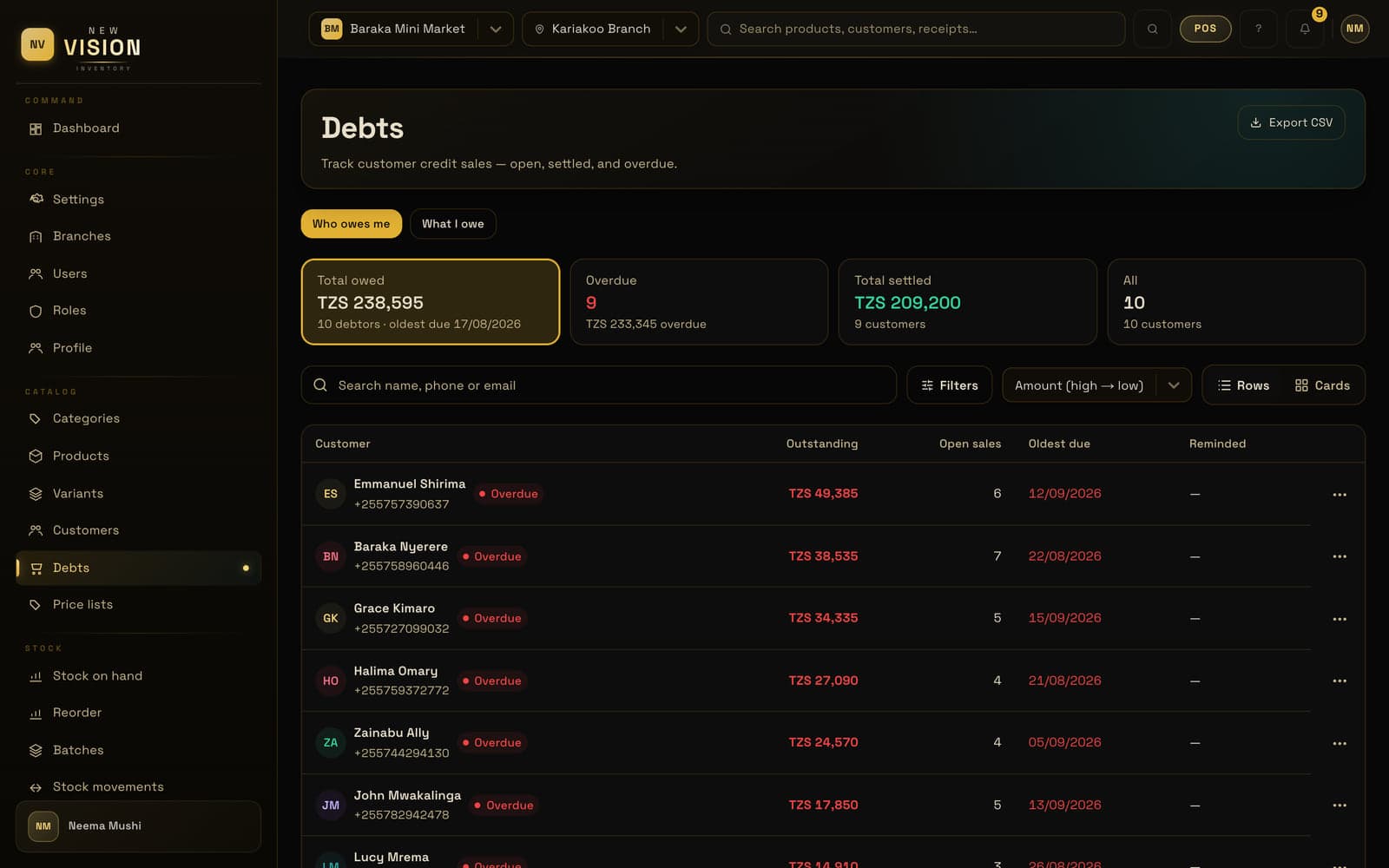
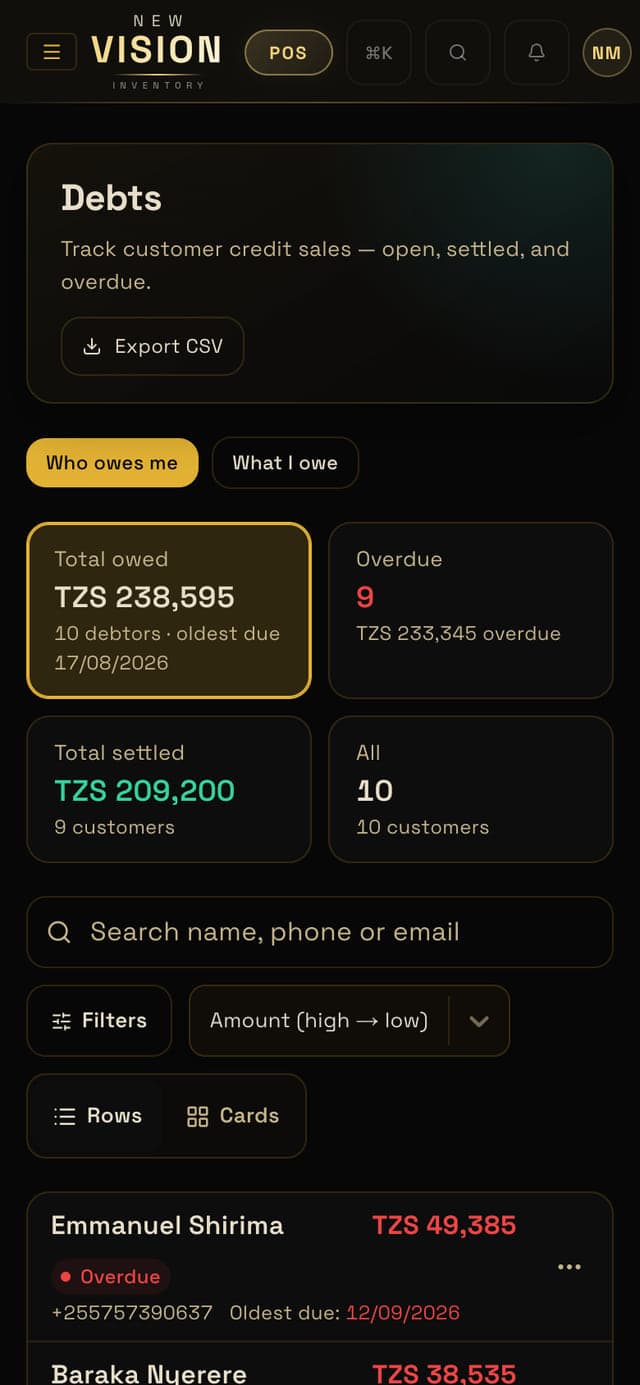
However they pay, cash, mobile money or bank, the balance comes down by itself.
See how many days each debt has waited, so the old ones don't get forgotten.
Only the staff you allow can sell on credit.
19:10 Power cut
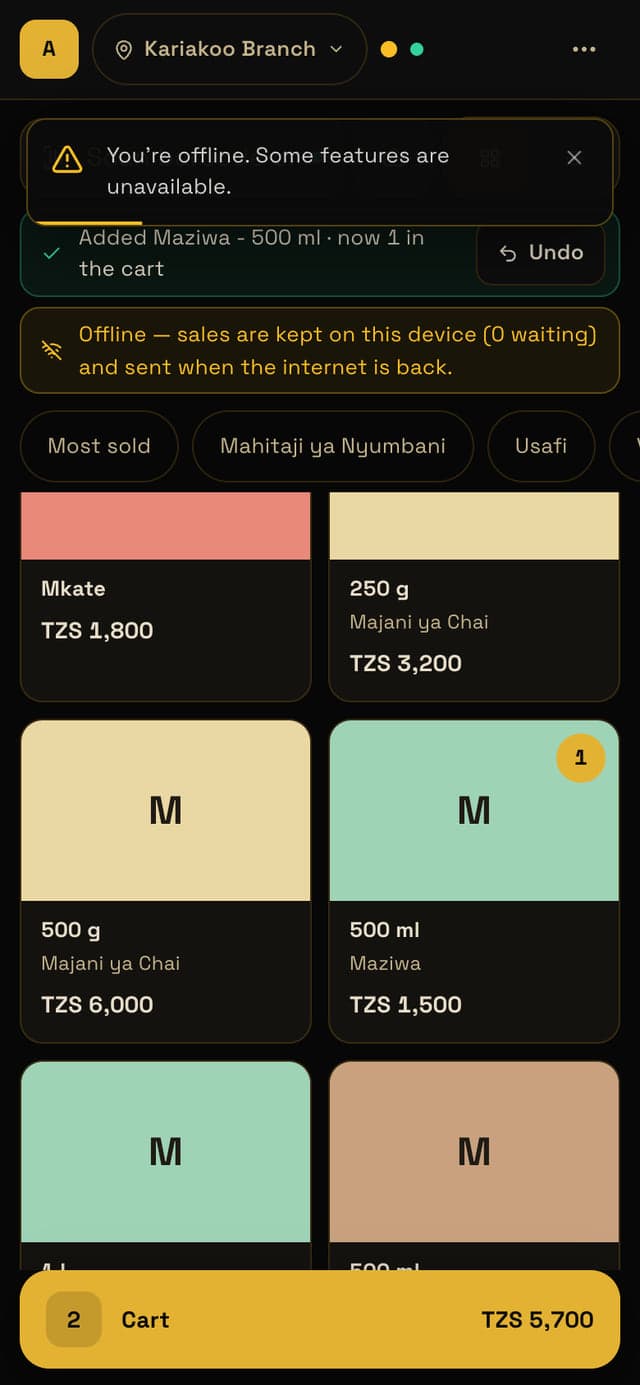
When the power or the internet drops, sales are saved on the device and receipts keep printing, with a temporary number until the till is back online. When it's back, everything goes up by itself.
Offline mode is on Business (3 days, up to 5 devices) and Enterprise (7 days, any number of devices).
In the app
21:15 Closing time
Count the cash, close the shift, and the day's numbers are already done: sales, profit, what sold and who sold it.
In the app
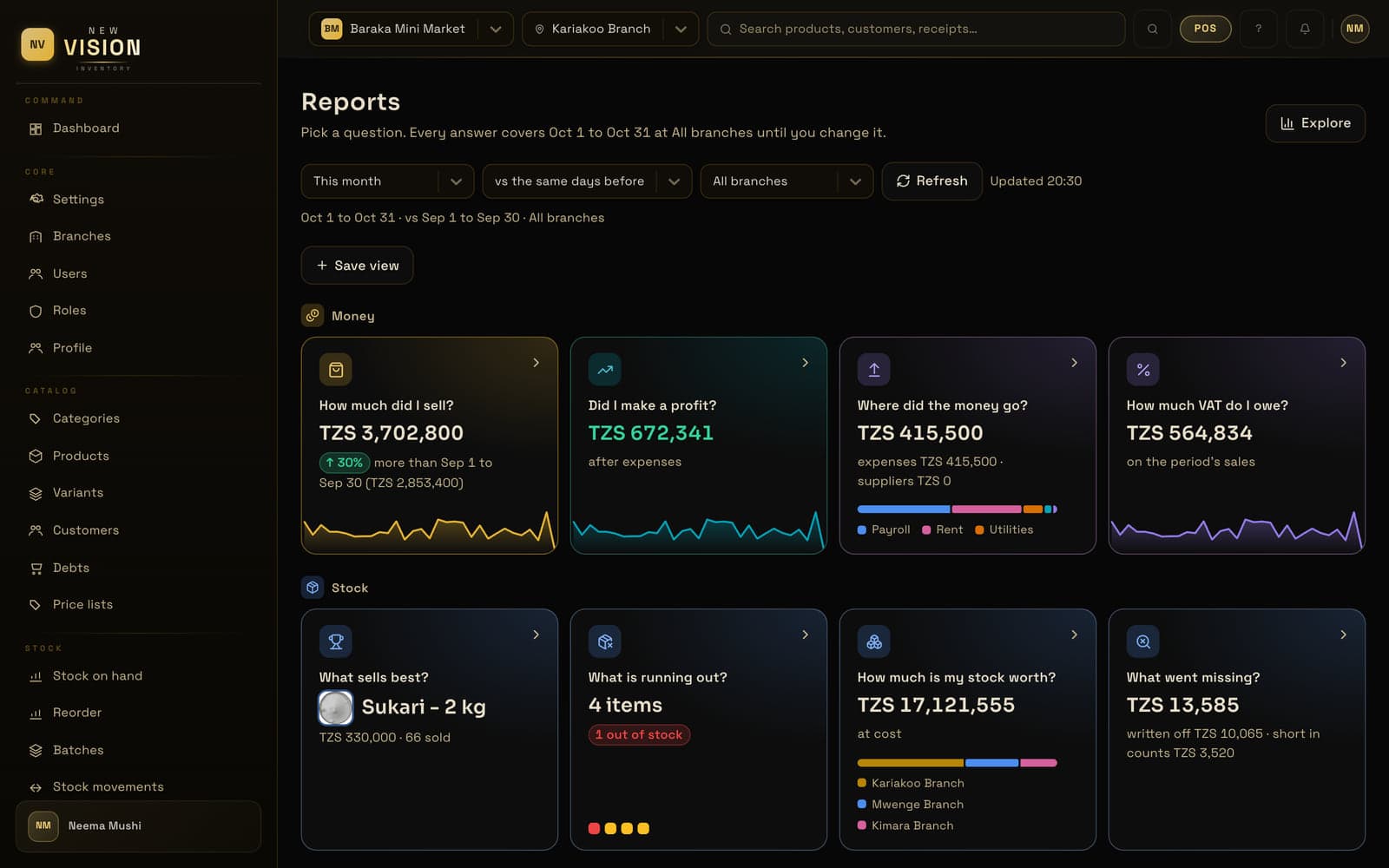
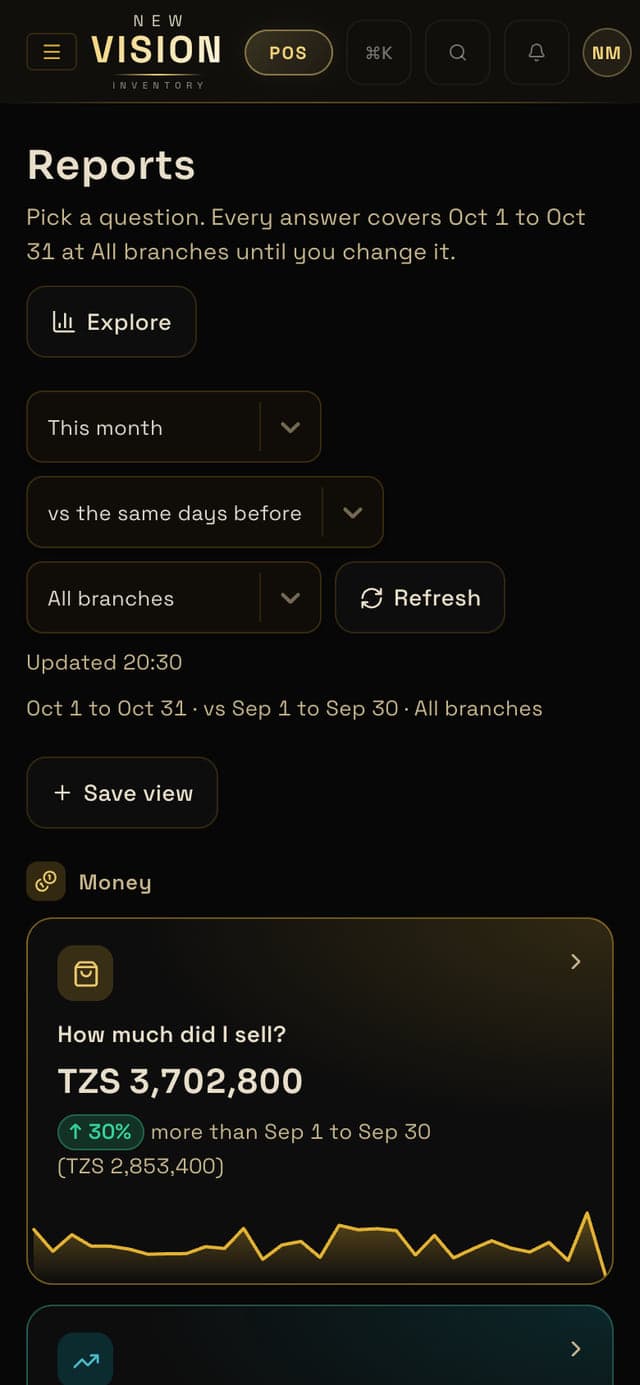
By day, week, month or any range, for one branch or all of them.
Who sold what, and what each shift closed with.
Excel, CSV or PDF for your accountant or the tax office.
Every kind of shop
One counter or ten. Barcode scan, quick checkout and clear numbers at the end of every day.
Questions
Something else? Message us on WhatsApp. We answer in Swahili or English.
No. It runs in the browser on the phone, tablet or computer you already have. A barcode scanner and a receipt printer are optional.
On Business and Enterprise the till keeps selling and keeps the sales on the device; they go up when you're back online. On Starter you need a connection.
Yes. Everyone signs in as themselves, with a role that limits what they can do, and every important action is written down with their name and the time.
Yes: every screen, in Swahili and English. Each device keeps its own.
Yes. Import your products and opening stock from an Excel or CSV file, and check them before they're saved.
We send your invoice on WhatsApp. Pay monthly, or yearly with two months free in the first year.
Start your free trial tonight: add a few products, invite your staff, and sell your first item tomorrow morning.